Design is no longer about locking elements into perfect positions—it’s about creating experiences that move, scale, and respond effortlessly. That shift in thinking has given rise to pxless, a design philosophy that challenges the long-standing dependence on fixed pixel measurements and replaces it with fluid, adaptable systems.
The idea behind pxless isn’t just technical—it’s deeply human. It recognizes that users don’t experience digital interfaces in controlled environments. Screens differ, preferences vary, and contexts constantly change. Pxless embraces that complexity instead of fighting it.
Understanding Pxless at Its Core
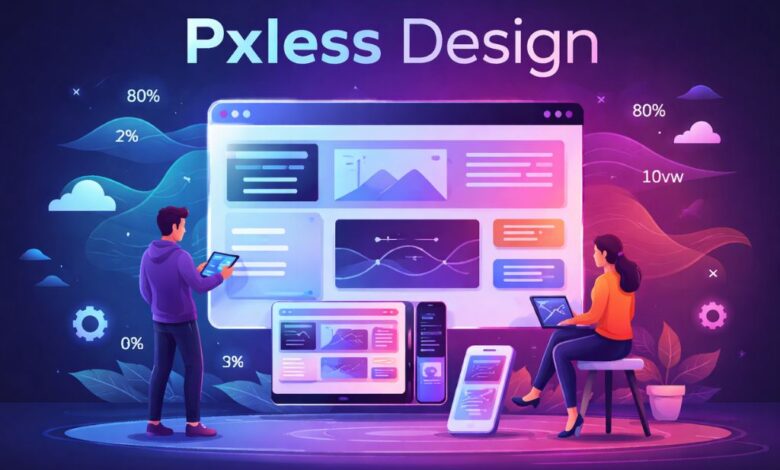
At its heart, pxless (short for pixel-less) is an approach to design and development that avoids rigid pixel (px) values. Instead, it uses flexible, relative units such as percentages, em, rem, and viewport-based measurements like vw and vh.
This shift might sound small, but it fundamentally changes how interfaces behave. Instead of designing something that looks perfect at a single resolution, pxless design ensures that layouts adapt naturally across all environments.
Rather than asking, “How many pixels wide should this be?” pxless encourages a different question:
“How should this element behave relative to its surroundings?”
That question leads to more resilient, scalable, and user-friendly designs.
Why Pxless Matters More Than Ever
Digital experiences today exist across an unpredictable range of devices. A single user might interact with a website on a phone in the morning, a laptop during the day, and a smart TV at night. Fixed pixel values struggle to maintain consistency across such diversity.
Pxless addresses this challenge by focusing on relationships instead of absolutes. It allows layouts to stretch, shrink, and reorganize themselves without breaking.
This is especially important because user control has increased. People zoom in, adjust font sizes, and use accessibility tools that change how content is displayed. A pixel-locked design resists these changes, while a pxless system adapts smoothly.
In this sense, pxless is not just a technical improvement—it’s a response to how people actually use technology.
From Pixel Precision to Fluid Systems
Traditional design workflows often revolve around pixel-perfect mockups. Designers carefully define exact spacing, font sizes, and alignment using fixed values. While this approach works in controlled environments, it becomes fragile when conditions change.
Pxless replaces that rigidity with systems.
Instead of defining a button as exactly 200 pixels wide, a pxless system might define it as a percentage of its container or allow it to grow based on content. Typography might scale relative to a base size rather than staying fixed.
This creates a design that behaves more like a living system than a static image.
The result is not randomness—it’s controlled flexibility. Designers still define rules, but those rules focus on proportions, spacing scales, and relationships rather than fixed numbers.
The Role of Relative Units in Pxless
The foundation of pxless lies in relative units. Each of these units contributes to flexibility in a different way.
Percentages allow elements to scale based on their parent container, making layouts naturally responsive. The rem unit ties sizing to a root font size, which means users can adjust text globally and the entire interface responds accordingly.
Viewport units like vw and vh connect design directly to the screen size, enabling layouts that adapt to the dimensions of the device itself.
When combined, these units create a system where everything is interconnected. Changing one variable—such as the base font size—can influence the entire layout in a predictable and controlled way.
This interconnectedness is what makes pxless powerful.
Designing with Behavior Instead of Dimensions
One of the most important shifts in pxless is the move from designing dimensions to designing behavior.
In a pixel-based approach, designers define how things should look. In a pxless approach, they define how things should respond.
For example, instead of specifying exact spacing between elements, a pxless system might define a spacing scale that grows proportionally. Instead of fixing a layout to a grid with strict widths, it allows components to reflow based on available space.
This makes design more adaptable and more aligned with real-world usage.
It also changes the role of the designer. Instead of focusing solely on visual perfection, designers become system thinkers—people who create rules that guide how interfaces behave under different conditions.
Pxless and Accessibility
Accessibility is where pxless truly proves its value. Fixed pixel designs often break when users increase font sizes or zoom in. Text can overflow, layouts can collapse, and usability suffers.
Pxless avoids these issues by respecting user preferences.
Because it relies on relative units, a pxless interface can scale smoothly when users adjust settings. Text remains readable, layouts remain intact, and interactions remain accessible.
This is not just a technical advantage—it’s an ethical one. Designing with pxless means acknowledging that users have different needs and ensuring that those needs are supported.
As accessibility standards become more important globally, pxless provides a natural way to meet them.
The Impact on User Experience
User experience improves significantly when interfaces behave predictably across devices.
A pxless design feels consistent, even when the screen size changes. Elements maintain their proportions, spacing feels natural, and content remains easy to read.
This consistency builds trust. Users don’t have to relearn how an interface works on different devices—they can rely on it to adapt intelligently.
Another key benefit is performance. Pxless systems often reduce the need for excessive media queries and device-specific adjustments, resulting in cleaner and more efficient code.
The experience becomes smoother not just visually, but technically as well.
Challenges of Adopting Pxless
Despite its advantages, pxless is not always easy to adopt.
Designers who are used to pixel-perfect tools may find it uncomfortable at first. Letting go of exact control can feel like losing precision, even though it ultimately leads to better adaptability.
Developers also need to think differently. Instead of translating fixed designs into code, they must build flexible systems that can handle variation.
Collaboration becomes more important. Designers and developers need to align on shared principles, such as spacing scales, typography systems, and layout behavior.
Without this alignment, a pxless system can become inconsistent.
However, once teams adjust to this way of working, the benefits become clear.
Pxless in Modern Design Systems
Many modern design systems already incorporate pxless principles, even if they don’t explicitly use the term.
These systems define:
- Scalable typography
- Flexible grids
- Consistent spacing rules
- Adaptive components
By focusing on systems rather than individual screens, they create interfaces that can grow and evolve over time.
Pxless fits naturally into this approach. It provides the foundation for building design systems that are not only consistent but also flexible.
This is particularly important for large-scale applications, where maintaining consistency across hundreds of screens can be challenging.
Real-World Applications of Pxless
Pxless is especially effective in environments where flexibility is essential.
Content-heavy websites benefit from layouts that adapt to different text lengths and media types. SaaS platforms rely on scalable components that can handle complex data displays. Mobile-first applications need to work seamlessly across a wide range of screen sizes.
Even emerging technologies, such as wearable devices and smart displays, require design approaches that can adapt to unconventional formats.
Pxless provides a framework for handling all of these scenarios without constant redesign.
The Future of Pxless
The direction of digital design is clearly moving toward flexibility and adaptability. New devices continue to emerge, and user expectations continue to evolve.
Pxless aligns perfectly with this trajectory.
It supports responsive design, enhances accessibility, and enables scalable systems. It also integrates well with modern technologies such as component-based frameworks and design tokens.
As artificial intelligence and personalization become more prominent, interfaces will need to adapt not just to devices but also to individual users. Pxless provides the foundation for this level of adaptability.
It’s not just about removing pixels—it’s about redefining how design works.
Conclusion: Why Pxless Is More Than a Trend
Pxless represents a fundamental shift in design thinking. It moves away from rigid control and embraces flexibility, responsiveness, and user-centricity.
By focusing on relationships rather than fixed values, pxless creates interfaces that are more resilient, more accessible, and more future-ready.
The transition may require a change in mindset, but the rewards are significant. Designers gain the ability to create systems that adapt gracefully, developers work with more maintainable code, and users benefit from experiences that feel natural across any device.
Pxless is not about abandoning precision—it’s about redefining it.
And in a world where change is constant, that redefinition makes all the difference.